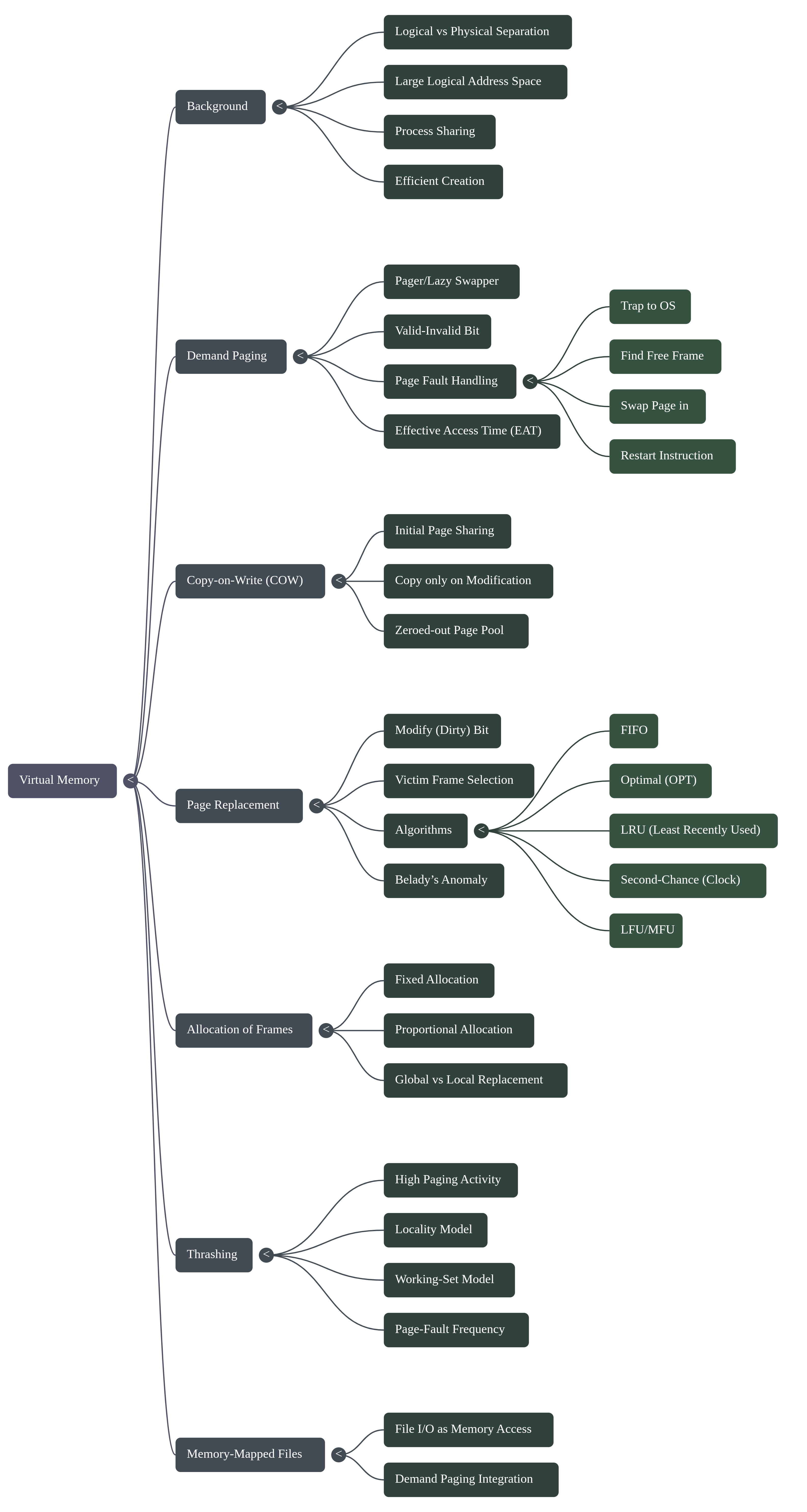
l4
"/home/yossef/notes/Su/os2/l4.md"
path: Su/os2/l4.md
- **fileName**: l4
- **Created on**: 2026-01-04 17:04:09
1. What is Virtual Memory?
Normally, a program must be in the computer's RAM
(Physical Memory) to run. Virtual Memory is a trick
where the computer separates the memory the user sees
(Logical Memory) from the actual Physical Memory.
- The Benefit: Your programs can be much bigger than
your actual RAM. - Efficiency: It allows different programs to share
parts of memory and makes it faster to start new programs.
2. Demand Paging (Loading "On Demand")
Instead of loading a whole program into RAM, the system
only brings in a Page (a small piece of the program)
when it is actually needed.
- The "Lazy Swapper": The system acts like a "lazy"
helper—it never swaps a page into RAM unless it is
specifically asked for. - Valid-Invalid Bit: The computer uses a "bit" (a
simple marker) to keep track. If the bit is v
(valid), the page is in RAM. If it is i (invalid),
the page is still on the disk.
3. The "Page Fault" (The "Oops" Moment)
If a program tries to use a page marked i, a
Page Fault happens. Here is how the Operating
System (OS) fixes it:
- The OS checks if the request was a mistake. If it's
a real request, it just isn't in RAM yet. - The OS finds an empty frame (a space) in the RAM.
- It pulls the page from the disk and puts it in that
RAM space. - It changes the bit from i to v.
- It restarts the instruction that failed so the
program can continue.
4. Copy-on-Write (COW)
When a program creates a "child" process, they both
start by sharing the exact same pages in memory to
save space.
- The Rule: They can both read the pages. But if
one of them tries to change (write to) a page, the
system quickly makes a separate copy for that
process. This way, they don't mess up each other's
data.
5. Page Replacement (Making Space)
What if the RAM is full and you need to bring in a
new page? You have to kick one out. This is called
Page Replacement.
- FIFO (First-In-First-Out): The oldest page in
RAM is the first one kicked out. - Optimal Algorithm: Kicks out the page that
won't be used for the longest time in the future
(this is mostly used for testing because we can't
see the future). - LRU (Least Recently Used): Kicks out the page
that hasn't been used for the longest time
recently.
6. Thrashing (The Computer is Overworked)
If a process does not have enough pages in RAM, it
will have page faults constantly.
- The Result: The computer spends more time moving
pages in and out than actually working. - The Signal: You know Thrashing is happening
when the CPU usage drops very low because the
system is too busy waiting for the disk.
7. Allocating Kernel Memory
The "Kernel" (the heart of the OS) needs memory
differently than your apps. It uses two main systems:
- Buddy System: It splits memory into chunks that
are "powers of 2" (like 4KB, 8KB, 16KB). If it needs
a small piece, it keeps splitting a large chunk in
half until it fits. - Slab Allocator: It creates "Caches" (pre-made
storage) for specific types of data. This is very
fast and prevents wasted space.
8. Real-World Examples
- Windows XP: Uses demand paging and "Clustering"
(bringing in several pages at once to be safe). If
RAM gets low, it performs Working Set Trimming
to take back memory from processes. - Solaris: Uses a "Clock" algorithm to scan for
pages that haven't been used. If free memory gets
very low, it starts "Scanning" faster to find pages
to kick out.
mind map